Pokémon Café ReMix

|
This article contains old or outdated information, or has not been updated in a while. Please check the content of this article and update it as required. |

|
This article is incomplete. Please feel free to edit this article to add missing information and complete it. Reason: Information and images |
Pokémon Café ReMix (Japanese: ようこそ!ポケモンカフェ ~まぜまぜパズル~ Welcome! Pokémon Café ~Mixing Puzzles~, or ポケまぜ Pokémaze for short), previously known as Pokémon Café Mix (Japanese: Pokémon Café Mix), is a free-to-start spin-off Pokémon game for the Nintendo Switch, iOS, iPadOS, and Android. It was released worldwide on June 24, 2020.[note 1]
| Pokémon Café Mix Pokémon Café Mix | |
|---|---|
 Logo of Pokémon Café Mix | |
| Pokémon Café ReMix ようこそ!ポケモンカフェ ~まぜまぜパズル~ | |
 Logo of Pokémon Café ReMix | |
Basic info
| |
| Platform: | Nintendo Switch, iOS, iPadOS, Android |
| Category: | Puzzle |
| Players: | 1 |
| Connectivity: | N/A |
| Developer: | Genius Sonority |
| Publisher: | The Pokémon Company |
| Part of: | Generation VIII spin-off |
Ratings
| |
| CERO: | A |
| ESRB: | E |
| ACB: | G |
| OFLC: | N/A |
| PEGI: | 3 |
| GRAC: | ALL |
| GSRR: | N/A |
Release dates
| |
| Japan: | June 24, 2020 (Café Mix) October 28, 2021 (Café ReMix) |
| North America: | June 23, 2020[note 1] (Café Mix) October 27, 2021 (Café ReMix) |
| Australia: | June 24, 2020 (Café Mix) October 28, 2021 (Café ReMix) |
| Europe: | June 24, 2020 (Café Mix) October 28, 2021 (Café ReMix) |
| South Korea: | June 24, 2020 (Café Mix) October 28, 2021 (Café ReMix) |
| Hong Kong: | June 24, 2020 (Café Mix) October 28, 2021 (Café ReMix) |
| Taiwan: | June 24, 2020 (Café Mix) October 28, 2021 (Café ReMix) |
Websites
| |
| Japanese: | Official website |
| English: | Official website |
|
Japanese boxart
Japanese logo of Pokémon Café Mix  Japanese logo of Pokémon Café ReMix | |
It was announced during a Pokémon Presents on June 17, 2020. During the August 2021 Pokémon Presents, it was announced that the game would be renamed Pokémon Café ReMix in a major overhaul on October 28, 2021.
On November 18, 2020, Pokémon Café Mix was nominated for the Best Mobile Game category for The Game Awards 2020.[1] The game has received a manga adaptation.
Blurb
Pokémon Café Mix is a unique puzzle game where the player is now the owner of a café that serves delicious treats to Pokémon.
Complete puzzles by linking together Pokémon icons to prepare drinks and dishes for your Pokémon customers as they have a wonderful time at the café!
Order's up! Your next Pokémon customer awaits.
- Grand Opening!
- Experience what it’s like to run your own Pokémon Café that serves cute and delectable offerings for Pokémon customers.
- Order's Up!
- Drag Pokémon icons in a swirling motion to link them together and solve challenging puzzles that create a variety of drinks and dishes with adorable Pokémon motifs.
- Help Wanted!
- Befriend and recruit your favorite Pokémon by serving amazing treats to create special friendships.
- Seconds, Please!
- As your café becomes a hit with the Pokémon customers, you’ll be able to expand the café to accommodate your booming business, allowing for more Pokémon guests and new café offerings.
Gameplay
Players are the owner of a new café that caters to Pokémon. With their employees Leah and Eevee, players fulfill Café Orders from customer Pokémon by mixing ingredients. When doing orders, the player links the Pokémon Icons. Also there are some power-ups appearing when linking icons. Player can also hire Pokémon to work after serving an order too them enough times.
Daily Stamp Board
| Grand-Opening Celebration | ||||
|---|---|---|---|---|
| Log in on any 5 days during the grand-opening celebration, and Pikachu will join your café staff! Log in on any 10 days, and you'll receive a Tasty Tart! | ||||
| Day 1 | Day 2 | Day 3 | Day 4 | Day 5 |
 1000 |
1000 |
 Skill Plus ×1 |
 Pikachu |
| Day 6 | Day 7 | Day 8 | Day 9 | Day 10 |
| 1000 |
 Sifflet ⇅ ×1 |
1000 |
 Sifflet ⇄ ×1 |
 Tasty Tart ×1 |
Invitations
Master Café Mode
Pokémon
|
|
This section is incomplete. Please feel free to edit this section to add missing information and complete it. Reason: Missing Pokémon and stats, such as extra turns, Megaphone grants, Full Skill gauge, etc. |
Mix & ReMix
| Image | Pokémon | Specialty | Café Skill | Unlock | Recruit / Level up requirements | |||
|---|---|---|---|---|---|---|---|---|
| Mix | ReMix | Level 1 | Level 2 | Level 3 | ||||
 → → 
|
Eevee (Male) |  Drinks Drinks Sweets Sweets Small plates Small plates Entrées Entrées
(Only drinks in Original version CafeMix) |
Clears surrounding Pokémon icons and gimmicks. | From start | None | 10☆ | 29☆ | |
 → → 
|
Charmander | Drinks
|
Clears Pokémon icons and gimmicks to the right. | Reach Order #2 | Complete Extra order #100 | 3☆ | 10☆ | 27☆ |
 → → 
|
Minccino | Sweets
|
Clears Pokémon icons and gimmicks to the left. | Reach Order #3 | Complete Lilligant Floral Tea recipe | 6☆ | 15☆ | 35☆ |
 → → 
|
Snubbull | Small plates
|
Clears Pokémon icons and gimmicks below. | Reach Order #5 | Complete Lilligant Floral Tea recipe | 4☆ | 18☆ | 37☆ |
 → → 
|
Slurpuff | Sweets
|
Clears Pokémon icons and gimmicks above. | Reach Order #10 | Complete Nutty Buneary Frappé Recipe | 5☆ | 17☆ | 37☆ |
 → → 
|
Togepi | Drinks
|
Clears surrounding icons and gimmicks, then replaces icons to either side with icons of the most common Pokémon. | Reach Order #26 | Complete Fluffy Eevee Pancakes recipe | 3☆ | 13☆ | 32☆ |
 → → 
|
Munchlax | Entrées
|
Clears surrounding icons and gimmicks, then sets off megaphones created in place of other surrounding icons. | Reach Order #26 | Complete Piquant Pikachu Curry Recipe | 9☆ | 19☆ | 29☆ |
 → → 
|
Squirtle | Small plates
|
Clears Pokémon icons and gimmicks to the right. | Reach Order #36 | Complete Swablu Shaved Ice Recipe | 9☆ | 22☆ | 29☆ |
 → → 
|
Kirlia | Drinks
|
Clears Pokémon icons and gimmicks diagonally. | Reach Order #46 | Complete Hot Litwick Cocoa recipe | 8☆ | 16☆ | 31☆ |
 → → 
|
Starly | Sweets
|
Clears surrounding icons and gimmicks, then sets off megaphones created in place of other icons above and below. | Reach Order #55 | Complete Swablu Shaved Ice Recipe | 6☆ | 17☆ | 34☆ |
 → → 
|
Steenee | Entrées
|
Clears Pokémon icons and gimmicks above. | Reach Order #66 | Complete Piquant Pikachu Curry Recipe | 5☆ | 18☆ | 37☆ |
 → → 
|
Bulbasaur | Small plates
|
Clears icons and gimmicks in an X pattern, then replaces surrounding icons with icons of the most common Pokémon. | Reach Order #76 | Complete Dugtrio Sandwich Trio Recipe | 9☆ | 19☆ | 45☆ |
 → → 
|
Stoutland | Drinks
|
Clears Pokémon icons and gimmicks below, then sets off megaphones created in place of other surrounding icons. | Reach Order #86 | Complete Poppin' Pachirisu Float Recipe | 9☆ | 19☆ | 43☆ |
 → → 
|
Meowth | Entrées
|
Clears Pokémon icons and gimmicks in a block to the left. | Reach Order #96 | Complete Gratin a la Pumpkaboo Recipe | 9☆ | 21☆ | 44☆ |
 → → 
|
Jigglypuff | Sweets
|
Clears surrounding icons and gimmicks, then replaces surrounding icons with icons of the most common Pokémon. | Reach Order #111 | Complete Burnt-Caramel Vulpix Sundae complete | 9☆ | 20☆ | 44☆ |
 → → 
|
Lucario | Sweets
|
Clears Pokémon icons and gimmicks in a + pattern. | Reach Order #131 | Complete Burnt-Caramel Vulpix Sundae complete | 20☆ | 41☆ | 80☆ |
 → → 
|
Bellossom | Sweets (Only drinks in Original version CafeMix)
|
Clears Pokémon icons and gimmicks above, then sets off megaphones created in place of some icons below. | Reach Order #151 | Complete Poppin' Pachirisu Float Recipe | 6☆ | 19☆ | 36☆ |
 → → 
|
Exeggutor | Drinks
|
Clears Pokémon icons and gimmicks to either side and above. | Reach Order #176 | Complete Miltank Mix au Lait recipe | 18☆ | 34☆ | 55☆ |
 → → 
|
Buizel | Sweets
|
Clears Pokémon icons and gimmicks diagonally. | Reach Order #226 | Complete Cheesy Rowlet Pizza recipe | 12☆ | 33☆ | 47☆ |
 → → 
|
Wobbuffet | Entrées
|
Replaces surrounding Pokémon icons with megaphones then sets them off. | Reach Order #276 | Complete Gossifleur Combo Plate recipe | 9☆ | 16☆ | 42☆ |
 → → 
|
Audino | Small plates
|
Replaces Pokémon icons in a ring with megaphones, then sets them off. | Reach Order #326 | Complete Rainbow Oricorio Popcorn recipe | 12☆ | 33☆ | 47☆ |
 → → 
|
Plusle | Entrées
|
Clears icons and gimmicks in a + pattern, and replaces surrounding icons with icons of the most common Pokémon. | Reach Order #376 | Complete Happy Snorlax Loco Moco Recipe | 9☆ | 21☆ | 42☆ |
 → → 
|
Minun | Sweets
|
Clears icons and gimmicks to either side, and replaces surrounding icons with the most common Pokémon. | Reach Order #376 | Complete Ribombee Chocolate Cake Recipe | 12☆ | 32☆ | 47☆ |
 → → 
|
Bewear | Entrées
|
Clears Pokémon icons and gimmicks to either side in a line twice. | Reach Order #476 | Complete Torchic Rice over Omelet Recipe | 18☆ | 34☆ | 54☆ |
 → → 
|
Piplup | Sweets
|
Clears Pokémon icons and gimmicks vertically to either side. | Reach Order #576 | Complete Eevee Latte recipe | 11☆ | 33☆ | 48☆ |
 → → 
|
Gogoat | Drinks
|
Clears Pokémon icons and gimmicks to either side in a line twice. | Reach Order #676 | Complete Teddiursa Iced Coffee Recipe | 11☆ | 29☆ | 46☆ |
 → → 
|
Whimsicott | Small plates
|
Clears Pokémon icons and gimmicks to the left in a wave shape. | Reach Order #776 | Complete Eiscue Caprese Salad Recipe | 14☆ | 30☆ | 49☆ |
 → → 
|
Emolga | Sweets
|
Clears Pokémon icons and gimmicks in a Y pattern right where it's used. | Reach Order #876 | Complete Pikachu Fruit Flan Recipe | 14☆ | 28☆ | 48☆ |
ReMix
| Image | Pokémon | Specialty | Café Skill | Unlock |
|---|---|---|---|---|
File:Café ReMix Rowlet guest.png → 
|
Rowlet | Drinks
|
Clears Pokémon icons and gimmicks to the right. | Complete Eevee Latte recipe |
File:Café ReMix Sneasel guest.png → 
|
Sneasel | Drinks
|
Clears Pokémon icons and gimmicks to the left. | Complete Miltank Mix au Lait recipe |
File:Café ReMix Gothorita guest.png → 
|
Gothorita | Drinks
|
Clears Pokémon icons and gimmicks above. | Complete Bouncy Brionne Soda recipe |
File:Café ReMix Oshawott guest.png → 
|
Oshawott | Entrées
|
Clears Pokémon icons and gimmicks to either side and below. | Complete Gossifleur Combo Plate recipe |
File:Café ReMix Chimchar guest.png → 
|
Chimchar | Small plates
|
Clears Pokémon icons and gimmicks above and below, and replaces surrounding icons with icons of the most common Pokémon. | Complete Rainbow Oricorio Popcorn recipe |
File:Café ReMix Cyndaquil guest.png → 
|
Cyndaquil | Entrées
|
Clears Pokémon icons and gimmicks above. | Complete Torchic Rice over Omelet recipe |
File:Café ReMix Sudowoodo guest.png → 
|
Sudowoodo | Small plates
|
Clears icons and gimmicks to the upper righht and upper left, and replaces surrounding icons with icons of the most common Pokémon | Complete Eiscue Caprese Salad recipe |
File:Café ReMix Machoke guest.png → 
|
Machoke | Small plates
|
Clears surrounding icons and gimmicks, replaces a few icons to either side with megaphones, and then sets them off | Complete Comfey Fruity Sandwich recipe |
File:Café ReMix Pancham guest.png → 
|
Pancham | Drinks
|
Clears Pokémon icons and gimmicks diagonally. | Complete Furret Roasted Tea Latte recipe |
File:Café ReMix Lilligant guest.png → 
|
Lilligant | Sweets
|
Clears Pokémon icons and gimmicks to either side, then replace surrounding Pokémon icons with icons of the most common Pokémon. | Complete Combee Waffles with Honey recipe |
File:Café ReMix Ribombee guest.png → 
|
Ribombee | Entrées
|
Clears Pokémon icons and gimmicks diagonally, then replace surrounding Pokémon icons with icons of the most common Pokémon. | Complete Cheesy Whimsicott Meatloaf recipe |
Mix & ReMix Shiny
| Image | Pokémon | Specialty | Café Skill | Unlock | Recruit / Level up requirements | |||
|---|---|---|---|---|---|---|---|---|
| Mix | ReMix | Level 1 | Level 2 | Level 3 | ||||
| File:Café ReMix Shiny Celebi.png | Celebi (Shiny) | Entrées
|
Replaces surrounding Pokémon icons with megaphones twice, then sets them off. | Login Bonus Day 3, Special Event Dec. 23, 2020 - Jan. 31 2021 | Transferring from Pokémon Café Mix | None | 5☆ | 10☆ |
ReMix Shiny
| Image | Pokémon | Specialty | Café Skill | Unlock |
|---|---|---|---|---|
 → →
|
Eevee (Shiny) (Male) | Drinks Sweets Small plates Entrées
|
Clears surrounding Pokémon icons and gimmicks. | Random chance |
 → →
|
Minccino (Shiny) | Sweets
|
Clears Pokémon icons and gimmicks to the left. | Random chance |
 → →
|
Munchlax (Shiny) | Entrées
|
Clears surrounding icons and gimmicks, then sets off megaphones created in place of other surrounding icons. | Random chance |
 → File:Café ReMix Rowlet Shiny.png → File:Café ReMix Rowlet Shiny.png
|
Rowlet (Shiny) | Drinks
|
Clears Pokémon icons and gimmicks to the right. | Random chance |
 → File:Café ReMix Starly Shiny.png → File:Café ReMix Starly Shiny.png
|
Starly (Shiny) | Sweets
|
Clears surrounding icons and gimmicks, then sets off megaphones created in place of other icons above and below. | Random chance |
 → →
|
Piplup (Shiny) | Sweets
|
Clears Pokémon icons and gimmicks vertically in two columns to either side. | Random chance |
 → →
|
Slurpuff (Shiny) | Sweets
|
Clears Pokémon icons and gimmicks above. | Random chance |
 → →
|
Exeggutor (Shiny) | Drinks
|
Clears Pokémon icons and gimmicks to either side and above. | Random chance |
 → →
|
Snubbull (Shiny) | Small plates
|
Clears Pokémon icons and gimmicks below. | Random chance |
 → →
|
Kirlia (Shiny) | Drinks
|
Clears Pokémon icons and gimmicks diagonally. | Random chance |
 → →
|
Sneasel (Shiny) | Drinks
|
Clears Pokémon icons and gimmicks to the left. | Random chance |
 → →
|
Buizel (Shiny) | Sweets
|
Clears Pokémon icons and gimmicks diagonally. | Random chance |
 → →
|
Lucario (Shiny) | Sweets
|
Clears Pokémon icons and gimmicks in a + pattern. | Random chance |
 → →
|
Audino (Shiny) | Small plates
|
Replaces Pokémon icons in a ring with megaphones, then sets them off. | Random chance |
 → →
|
Oshawott (Shiny) | Entrées
|
Clears Pokémon icons and gimmicks to either side and below. | Random chance |
Mix & ReMix Special & Event
| Image | Pokémon | Specialty | Café Skill | Unlock | Recruit / Level up requirements | |||
|---|---|---|---|---|---|---|---|---|
| Mix | ReMix | Level 1 | Level 2 | Level 3 | ||||
 → → 
|
Pikachu (Male) | Small plates
|
Clears surrounding icons and those above, and replaces surrounding icons with icons of the most common Pokémon. | Reach Order #151 Launch Stamp Board Day 5 |
Complete Yummy Yamper Pasta recipe | None | 30☆ | 56☆ |

|
Eevee (Super chef) | Small plates
|
Clears surrounding Pokémon icons and gimmicks. | Exchange 180 master points in the Swap Shop | None | 30☆ | 60☆ | |

|
Pikachu (Super chef) | Entrées
|
Clears surrounding icons and those above, then sets off megaphones created in place of other surrounding icons. | Exchange 180 master points in the Swap Shop | None | 30☆ | 60☆ | |

|
Pikachu (Sweets) | Drinks
|
Clears surrounding icons and those above, then sets off megaphones created in place of other surrounding icons. | Purchase Sweets Pikachu Pack | None | 10☆ | 20☆ | |
| File:Café Mix Pikachu Snorlax Maniac.png | Pikachu (Snorlax Maniac) | Entrées
|
Clears surrounding icons and those above, and replaces surrounding icons with icons of the most common Pokémon. | Purchase Team Order Pack | None | 10☆ | 20☆ | |
 → → 
|
Scorbunny | Small plates
|
Clears Pokémon icons and gimmicks to the left. | Special Customer Event Jul. 1 - 15, 2020 Dec. 30, 2020 - Jan. 4, 2021 May. 19 2021 - Jun. 2, 2021 |
Complete Cheesy Rowlet Pizza recipe | 5☆ | 15☆ | 30☆ |
 → → 
|
Sobble | Sweets
|
Clears Pokémon icons and gimmicks below. | Special Customer Event Jul. 15 - 29, 2020 Jan. 4 - 9, 2021 Jun. 16 - 30, 2021 |
Complete Decorated Alcremie Cupcakes recipe | 5☆ | 15☆ | 30☆ |
 → → 
|
Dragonite | Entrées
|
Clears Pokémon icons and gimmicks to the right. Linking two Café Skills activates the effect twice. | Special Customer Event Jul. 29, 2020 - Aug. 12, 2020 Dec. 2 - 16, 2020 Aug. 11 - 25, 2021 |
Complete Happy Snorlax Loco Moco Recipe | 5☆ | 18☆ | 36☆ |
 → → 
|
Grookey | Sweets
|
Clears Pokémon icons and gimmicks to the right. | Special Customer Event Aug. 12 - 26, 2020 Jan. 9 - 13, 2021 Jul 14 - 28, 2021 |
Complete Decorated Alcremie Cupcakes recipe | 5☆ | 15☆ | 30☆ |
 → → 
|
Celebi | Drinks
|
Replaces surrounding Pokémon icon with megaphones twice, then sets them off. | Special Customer Event Aug. 26 - Sep. 9, 2020 Feb. 24, 2021 - Mar. 10, 2021 |
Transferring from Pokémon Café Mix | 5☆ | 17☆ | 40☆ |
 → → 
|
Torterra | Drinks
|
Clears Pokémon icons and gimmicks below, and replaces icons above with icons of the most common Pokémon. | Special Customer Event Sep. 9 - 23, 2020 Feb. 3 - 10, 2021 Sep. 8 - 21, 2021 |
Complete Bouncy Brionne Soda Recipe | 5☆ | 18☆ | 35☆ |
 → → 
|
Snorlax | Entrées
|
Clears Pokémon icons and gimmicks below. | Team Event Sep. 24 - Oct. 8, 2020 Feb 10 - 24, 2021 Jun. 30 - Jul. 14, 2021 |
Transferring from Pokémon Café Mix Delivery Event: Feb. 21, 2022 - Mar. 9, 2022 |
840 Team☆ | 10☆ | 20☆ |
 → → 
|
Hattrem | Sweets
|
Clears Pokémon icons and gimmicks to the lower left and lower right | Special Customer Event Oct. 8 - 21, 2020 Mar. 24, 2021 - Apr. 7, 2021 |
Complete Pikachu Fruit Flan Recipe | 5☆ | 18☆ | 38☆ |
 → → 
|
Mimikyu | Sweets
|
Clears Pokémon icons and gimmicks to the upper left, lower right and diagonally, then replaces icons with the Leader Pokémon. | Team Event Oct. 21 - Nov. 4, 2020 Mar. 10 - 24, 2021 |
Transferring from Pokémon Café Mix Delivery Event: Feb. 21, 2022 - Mar. 9, 2022 Jul. 28 - Aug. 11, 2021 |
840 Team☆ | 10☆ | 20☆ |
 → → 
|
Gengar | Sweets
|
Clears Pokémon icons and gimmicks in an X pattern, then swts off megaphones created in place of other surrounding icons. | Special Customer Event Nov. 4 - 18, 2020 Apr. 21, 2021 - May. 5, 2021 |
Complete Ribombee Chocolate Cake Recipe | 5☆ | 18☆ | 38☆ |
 → → 
|
Galarian Slowpoke | Small plates
|
Clears Pokémon icons and gimmicks diagonally. | Team Event Nov. 18, 2020 - Dec. 2, 2020 Apr. 7 - 21, 2021 Aug. 25 - Sep. 8, 2021 |
Transferring from Pokémon Café Mix Delivery Event: Feb. 21, 2022 - Mar. 9, 2022 |
1080 Team☆ | 10☆ | 20☆ |
| File:Café Mix Lucario Holiday staff.png | Lucario (Holiday) | Sweets
|
Clears Pokémon icons and gimmicks to the right in a + pattern. | Holiday Team Event Dec. 16 - 30, 2020 May. 5 - 29, 2021 Sep. 22 - Oct. 4, 2021 |
Holiday Lucario Event | 1080 Team☆ | 10☆ | 20☆ |

|
Eevee (Holiday) | Drinks
|
Clears surrounding icons and gimmicks, replaces a few icons with megaphones, and then sets them off. | Purchase the Eevee Holiday pack | Transferring from Pokémon Café Mix | None | 10☆ | 20☆ |
 → → 
|
Chansey | Small plates
|
Clears surrounding icons and gimmicks twice. The section it clears the second time changes every time you use the skill. | Team Event Jan. 13 - 27, 2021 Jun. 2 - 16, 2021 |
Transferring from Pokémon Café Mix Delivery Event: Feb. 21, 2022 - Mar. 9, 2022 |
1080 Team☆ | 10☆ | 20☆ |
ReMix Special & Event
| Image | Pokémon | Specialty | Café Skill | Unlock |
|---|---|---|---|---|
 → → 
|
Mew | Drinks Sweets Small plates Entrées
|
Clears surrounding Pokémon icons and gimmicks. | Complete the Mew challenge and Mew Flower Cake recipe |

|
Eevee (Sweets) | Sweets
|
Clears surrounding icons and gimmicks, replaces a few icons with megaphones, and then sets them off. | Complete the first Pokémon Appreciation Event |

|
Eevee (Chef's whites) | Entrées
|
Clears surrounding icons and gimmicks, and replaces those with icons of the leader Pokémon. | ReMix Celebration Stamps Day 5 |
 → → 
|
Charizard | Entrées
|
Clears Pokémon icons and gimmicks to the left in a fan shape. | Adept Charizard Event Oct. 28, 2021 - Nov. 10, 2021 |

|
Lucario (Masquerade) | Entrées
|
Clears icons and gimmicks in a + pattern, replaces a few icons with megaphones, then sets them off. | October and November Premium Pass Oct. 27 - Nov. 30, 2021 |

|
Lucario (Chef's Whites) | Small plates
|
Clears icons and gimmicks in a + pattern, and replaces surrounding icons with icons of the leader Pokémon. | Complete Extra order #1200 |

|
Lucario (Super Chef) | Drinks
|
Clears icons and gimmicks in a + pattern and replaces surrounding icons with icons of the leader Pokémon. | Exchange 500 master points in the Swap Shop |

|
Pikachu (Chef's Whites) | Small plates
|
Clears surrounding icons and those above, then sets off megaphones created in place of other surrounding icons. | Complete Extra order #500 |

|
Rowlet (Grass quill cap) | Drinks
|
Clears Pokémon icons and gimmicks to the right. | Reach level 15 of the standard course in the October and November Goals. |
 → → 
|
Greedent | Entrées
|
Clears Pokémon icons and gimmicks below. | Greedy Greedent Team Event Nov. 16 - 28, 2021 |
 → → 
|
Greninja | Drinks
|
Clears Pokémon icons and gimmicks to either side. | Greninja Points Event Dec. 1 - 17, 2021 |

|
Rowlet (Dapper Attire) | Small plates
|
Clears Pokémon icons and gimmicks to the right, and then replaces surrounding icons with the leader Pokémon. | Reach level 30 in the December Goals with premium pass |

|
Minccino (Squeaky Clean) | Sweets
|
Clears Pokémon icons and gimmicks to the left. | Reach level 15 in the December Goals without premium pass |

|
Piplup (Floatie Fun) | Small plates
|
Clears icons and gimmicks vertically in two columns to either side, replaces a few with megaphones, then sets them off. | Purchase ReMix Celebration Pack |

|
Pikachu (Farm Fresh) | Entrées
|
Clears surrounding icons and gimmicks and those above, and replaces surrounding icons with icons of the most common Pokémon. | Purchase Farm Fresh Pack Nov. 16 - 28, 2021 |

|
Piplup (Holiday) | Drinks
|
Clears two columns of icons and gimmicks vertically on either side, and replaces surrounding Pokémon with the most common Pokémon. | Piplup's Lovely Holiday Season Daily Log-in bonus (Day 1) |
 → → 
|
Alolan Vulpix | Small plates
|
Clears icons and gimmicks above, replaces a few Pokémon icons with megaphones, then sets them off. | Alolan Vulpix Points Event Dec 17 - 27, 2021 |
 → → 
|
Vulpix | Drinks
|
Clears Pokémon icons and gimmicks below, replaces a few Pokémon icons with megaphones, then sets them off. | Vulpix Team Event Dec. 27, 2021 - Jan. 1, 2022 |

|
Vulpix (Cozy Cape) | Sweets
|
Clears Pokémon icons and gimmicks below. | Complete the My Friend Vulpix Challenge ② |

|
Alolan Vulpix (Cozy Cape) | Entrées
|
Clears icons and gimmicks above. | Reaching level 12 in the Lost Alolan Vulpix Event |
| File:Café ReMix Torterra Holiday Tree.png | Torterra (Holiday Tree) | Sweets
|
Clears Pokémon icons and gimmicks below and replaces icons above with the leader Pokémon. | Purchase Torterra Holiday Tree Pack |

|
Pikachu (Welcome 2022) | Drinks
|
Clears surrounding icons and gimmicks and those above, and replaces surrounding icons with icons of the leader Pokémon. | Purchase Pikachu Joyful 2022 Pack |

|
Meowth (Welcome 2022) | Entrées
|
Clears Pokémon icons and gimmicks to the left twice. | Purchase Meowth Happy 2022 Pack |
| File:Café ReMix Piplup New Years 2022.png | Piplup (New Year's 2022) | Entrées
|
Clears icons and gimmicks vertically in two columns to either side, and replaces very few icons with megaphones. | Piplup's Pumped Up New Year 2022 Daily Log-in bonus (Day 5) |
 → → 
|
Pichu | Sweets
|
Clears Pokémon icons and gimmicks above in a zigzag pattern. | Pichu Points Event Jan. 1 - 12, 2022 |

|
Togepi (Eggshell cap) | Drinks
|
Clears surrounding icons and gimmicks, then replaces icons to either side with icons of the most common Pokémon. | Reach level 15 in the January Goals without premium pass |

|
Scorbunny (Beach vibes) | Drinks
|
Clears surrounding Pokémon icons and gimmicks, as well as contents to the left. | Reach level 30 in the January Goals with premium pass |
| File:Café ReMix Chimchar Explorer.png | Chimchar (Explorer) | Entrées
|
Clears icons and gimmicks above and below, replaces a few surrounding Pokémon icons with megaphones, then sets them off. | Purchase Chimchar Explorer Pack |
 → → 
|
Garchomp | Small plates
|
Clears Pokémon icons and gimmicks diagonally twice, forming an x. | Garchomp Team Event Jan. 12 - 26, 2022 |
 → → 
|
Altaria | Small plates
|
Clears Pokémon icons and gimmicks to either side and above, and replaces surrounding icons with icons of the most common Pokémon. | Altaria Points Event Fab. 1 - 14, 2022 |
| File:Café ReMix Snubbull Fairyland.png | Snubbull (Fairyland) | Small plates
|
Clears Pokémon icons and gimmicks below. | Reach level 15 in the February Goals without premium pass |
| File:Café ReMix Dragonite Chocolatier.png | Dragonite (Chocolatier) | Sweets
|
Clears Pokémon icons and gimmicks to the right in a fan shape. | Reach level 30 in the February Goals with premium pass |
 → → 
|
Ludicolo | Drinks
|
Clears Pokémon icons and gimmicks to either side, replaces a moderate number of icons with megaphones, then sets them off. | Ludicolo Team Event Feb. 16 - 28, 2022 |
| File:Café ReMix Bulbasaur Celebratory Crown.png | Bulbasaur (Celebratory Crown) | Entrées
|
Clears Pokémon icons and gimmicks in an X pattern, then replaces very few surrounding icons with megaphones. | Bulbasaur's Happy Pokémon Day (Daily Log-in Day 1) |
 → File:Café ReMix Victini.png → File:Café ReMix Victini.png
|
Victini | Drinks
|
Clears Pokémon icons in a V pattern, and advances gimmicks by two stages. | Delivery Event Feb. 21, 2022 - Mar. 9, 2022 |
 → → 
|
Pachirisu | Small plates
|
Clears Pokémon icons and gimmicks to either side. | Delivery Event Feb. 21, 2022 - Mar. 9, 2022 |
| File:Café ReMix Sneasel Stylish Server.png | Sneasel (Stylish Server) | Sweets
|
Clears Pokémon icons and gimmicks to the left, then replaces icons to the right with icons of the most common Pokémon. | Delivery Event Feb. 21, 2022 - Mar. 9, 2022 |
File:Café ReMix Psyduck guest.png → 
|
Psyduck | Entrées
|
Clears Pokémon icons and gimmicks diagonally, replaces a few surrounding icons with megaphones, then sets them off | Psyduck Points Event Mar. 1 - 14, 2022 |

|
Slurpuff (Whipped topping) | Sweets
|
Clears Pokémon icons and gimmicks above. | Reach level 15 in the March Goals without premium pass |
| File:Café ReMix Gengar Flower Power.png | Gengar (Flower Power) | Drinks
|
Clears Pokémon icons and gimmicks in an X pattern, then swts off megaphones created in place of other surrounding icons. | Reach level 30 in the March Goals with premium pass |
File:Café ReMix Mismagius guest.png → 
|
Mismagius | Sweets
|
Clears Pokémon icons and gimmicks in a ring shape | Mismagius Team Event Mar. 14 - 25, 2022 |
| File:Café ReMix Steenee Magical Star.png | Steenee (Magical Star) | Drinks
|
Clears Pokémon icons and gimmicks above, then replaces Pokémon icons above with the most common Pokémon. | Purchase Steenee Magical Star Pack Nov. 14 - 25, 2022 |
File:Café ReMix Yamper guest.png → 
|
Yamper | Small plates
|
Clears Pokémon icons and gimmicks in a heart shape | Delivery Event Mar. 18, 2022 - Mar. 28, 2022 |
| File:Café ReMix Starly Egg Basket.png | Starly (Egg Basket) | Entrées
|
Clears icons and gimmicks above and below, and replaces a moderate number of adjacent Pokémon with megaphones then sets them off | Delivery Event Mar. 28, 2022 - Apr. 10, 2022 |
| File:Café ReMix Munchlax Munch Time.png | Munchlax (Munch Time) | Entrées
|
Clears surrounding Pokémon icons and gimmicks, then sets off megaphones created in place of other surrounding icons. | Reach level 15 in the April Goals without premium pass |
| File:Café ReMix Jigglypuff Balloon Bouquet.png | Jigglypuff (Balloon Bouquet) | Entrées
|
Clears Pokémon icons and gimmicks above. | Reach level 30 in the April Goals with premium pass |
| File:Café ReMix Ditto guest.png → File:Café ReMix Ditto.png | Ditto | Small plates
|
Clears Surrounding Pokémon icons and gimmicks. | Ditto Points Event Apr. 1 - 20, 2022 |

|
Ditto (Pretend Eevee) | Small plates
|
Clears Surrounding Pokémon icons and gimmicks. | Ditto Points Event Apr. 1 - 20, 2022 |

|
Ditto (Pretend Pikachu) | Small plates
|
Clears Surrounding Pokémon icons and gimmicks and those above, then replaces surrounding icons of the most common Pokémon. | One Minute Cooking With Ditto Event Apr. 11 - 27, 2022 |
File:Café ReMix Toucannon guest.png → 
|
Toucannon | Drinks
|
Clears Pokémon icons and gimmicks to the left | Toucannon Team Event Apr. 19 - 30, 2022 |
| File:Café ReMix Buizel Surf's Up.png | Buizel (Surf's Up) | Small plates
|
Clears Pokémon icons and gimmicks diagonally | Purchase Buizel Surf's Up Pack |
File:Café ReMix Electrode guest.png → 
|
Electrode | Sweets
|
Clears surrounding Pokémon icons and gimmicks three times. The section it clears changes every time you use the skill. | Electrode Team Event May 13–27, 2022 |
Other
| Image | Pokémon | Specialty | Info |
|---|---|---|---|

|
Timburr | None | Non-playable. Helps build additions to the Café. |

|
Pelipper | None | Non-playable. Brings invitations to other Pokémon. |

|
Pelipper (Delivery) | None | Non-playable. Delivers drinks and dishes to Pokémon. |
Unreleased
| Pokémon | ||||||
|---|---|---|---|---|---|---|
 Jynx |
 Teddiursa |
Tyranitar |  Farfetch’d |
 Litwick |
Marill | |
| Clefairy | Espeon | Umbreon | Buneary | Turtwig | Charmander (Shiny) | |
Offerings
| Image | English name | Japanese name | Category | Description |
|---|---|---|---|---|

|
Eevee Latte | イーブイカフェラテ | Drinks
|
A signature latte with a comforting flavor. Enjoy the cute latte art of Eevee! |

|
Lilligant Floral Tea | ドレディアフローラルティー | Drinks
|
Original blended tea. The soothing scent has calming benefits, just like the flower on Lilligant's head. |

|
Fluffy Eevee Pancakes | イーブイパンケーキ | Sweets
|
The whipped cream (as fluffy as Eevee's fur!) is a huge hit. Pure delight until the very last bite! |

|
Dugtrio Sandwich Trio | ダグトリオサンド | Small plates
|
A hearty sandwich set that even satisfies a Dugtrio. Enjoy the fresh tomatoes bursting with flavor. |

|
Nutty Buneary Frappé | ミミロルのナッティーフラッペ | Drinks
|
A refreshing frappé with cookies shaped like Buneary's ears. The combination of the sweet cream and toasted nuts is superb. |

|
Yummy Yamper Pasta | ワンパチのかくれんぼボロネーゼ | Small plates
|
A pasta bolognese depicting a playful Yamper. This cute and yummy dish will surely delight your taste buds and heart! |

|
Combee Waffles with Honey | ミツハニーのはちみつワッフル | Sweets
|
Combee-inspired waffles drizzled with honey. This sweet delight goes well with tea. |

|
Hot Litwick Cocoa | ヒトモシのマシュマロココア | Drinks
|
Hot cocoa, warm like a Litwick's flame, topped with yummy marshmallows. Fortunately, drinking it won't drain your life-force. |

|
Cheesy Rowlet Pizza | モクローのもっちりチーズピザ | Small plates
|
A Rowlet-shaped pizza with gooey, stretchy cheese that's simply irresistible. Enjoy it while it's hot! |

|
Poppin' Pachirisu Float | パチリスのパチパチフロート | Drinks
|
A soda float that's zappy like Pachirisu's electricity! Only a pro can top it off with even more ice cream. |

|
Piquant Pikachu Curry | ピリピリ!ピカチュウカレー | Entrées
|
A vegetable-loaded curry with a kick to it. Enjoy a big plate and fuel your energy with Pikachu's smile. |

|
Swablu Shaved Ice | チルットのふわふわかき氷 | Sweets
|
Shaved ice shaped like a Swablu. Make sure you eat up before it melts! |

|
Burnt-Caramel Vulpix Sundae | ロコンの焦がしキャラメルサンデー | Sweets
|
A sweet and bitter dessert that depicts the cuteness and beauty of Vulpix. It tastes as good as it looks! |

|
Gratin a la Pumpkaboo | バケッチャのカボチャグラタン | Entrées
|
A gratin as generously sized as a large Pumpkaboo. This will surely satisfy your hunger! |

|
Rainbow Oricorio Popcorn | オドリドリのカラフルポップコーン | Small plates
|
Multicolored popcorn inspired by the different styles of Oricorio. You can enjoy a variety of flavors all at once! |

|
Decorated Alcremie Cupcakes | マホイップのデコカップケーキ | Sweets
|
These decorated cupcakes are as cute as Alcremie. Share the sweetness with others! |

|
Gossifleur Combo Plate | ヒメンカのサラダプレート | Entrées
|
A combo plate loaded with vegetables just like the vibrant colors of Gossifleur. Enjoy it with our homemade mayo. |

|
Miltank Mix au Lait | ミルタンクのふりふりミックスオレ | Drinks
|
Fresh Moomoo Milk is used in this mix au lait. The sweet and tart flavor of the berries really stands out. |

|
Eiscue Caprese Salad | コオリッポカプレーゼ | Small plates
|
A cooling caprese salad like Eiscue. Drizzle a generous amount of olive oil and enjoy! |

|
Ribombee Chocolate Cake | アブリボンのチョコケーキ | Sweets
|
An elegant bittersweet chocolate cake decorated with gold leaf. The Pollen Puff-like chocolate truffle simply melts in your mouth. |

|
Bouncy Brionne Soda | オシャマリのぷにぷにグミソーダ | Drinks
|
A refreshing soda inspired by Brionne dancing in the water. Enjoy the bouncy texture of the gummies! |

|
Pikachu Fruit Flan | ピカチュウのプリンアラモード | Sweets
|
A decadent fruit flan loaded with fruits. Pikachu's smile is too cute to share! |

|
Happy Snorlax Loco Moco | カビゴンもまんぷく!ロコモコ | Entrées
|
A satisfying loco moco that will put a smile on Snorlax's face. It even comes with a cup of soup! |

|
Teddiursa Iced Coffee | ヒメグマのミルクコーヒー | Drinks
|
An iced coffee with donuts in the shape of Teddiursa's ears. The coffee ice cubes let you savor every last sip. |

|
Torchic Rice over Omelet | アチャモのふんわりオムライス | Entrées
|
Rice served atop an omelet as fluffy as Torchic's feathers. It goes well with ketchup! |
| File:Café ReMix Scorbunny Berry Sandwich.png | Scorbunny Berry Sandwich | ヒバニーのいちごサンド | Sweets
|
A fluffy fruit sandwich filled with strawberries and cream. The Scorbunny design is sure to make you feel energized! |
| File:Café ReMix Chikorita Bruschetta.png | Chikorita Bruschetta | チコリータのブルスケッタ | Small plates
|
Bruschetta topped with basil a la Chikorita. The three kinds of toppings represent Chikorita's evolution. |
| File:Café ReMix Sneasel Burger with Pickles.png | Sneasel Burger with Pickles | ニューラの彩りピクルスバーガー | Small plates
|
A colorful hamburger using a pickle as one of Sneasel's ears. Enjoy it with some fries and salad! |
| File:Café ReMix Cheesy Whimsicott Meatloaf.png | Cheesy Whimsicott Meatloaf | エルフーンのチーズハンバーグ | Entrées
|
Fluffy Whimsicott plays hide-and-seek in cheese. Drizzle an accompanied sauce if you like! |
| File:Café ReMix Sylveon Custard Slice.png | Sylveon Custard Slice | ニンフィアのミルフィーユパイ | Sweets
|
A cute, flaky pastry shaped like Sylveon's bow. The light, buttery smell is divine! |
| File:Café ReMix Playful Pancham Fried Rice.png | Playful Pancham Fried Rice | ヤンチャムのやんチャーハン | Entrées
|
A fun dish inspired by Pancham! You can enjoy a variety of flavors with this fried rice meal. |
| File:Café ReMix Furret Roasted Tea Latte.png | Furret Roasted Tea Latte | オオタチのほうじ茶ラテ | Drinks
|
A crisp and refreshing roasted green tea latte with a Furret playing peek-a-boo on top! |
| Event / Regular Menu | ||||
| File:Café ReMix Mew Flower Cake.png | Mew Flower Cake | Sweets
|
||
| File:Café ReMix Mimikyu Frightful Feast.png | Mimikyu Frightful Feast | ミミッキュごちそうハロウィンセット | None | A true feast topped with a Mimikyu-shaped pie and served with a drink. What could be lurking beneath all that melted cheese?! |
Gimmicks
| Image | English name | Japanese name | Description |
|---|---|---|---|
  
|
Sugar cubes | 角砂糖 | Make a combo next to a sugar cube three times to clear it, or hit it with a skill to clear it immediately! |
  
|
Whipped cream | ホイップ | Make a combo next to a dollop of whipped cream three times to clear it, or hit it with a skill to clear it immediately! |

|
Tomatoes | トマト | To clear tomatoes, drop them into a basket! Skills and megaphones can't clear them. |
 
|
Nuts | ナッツ | Nuts can only be cleared with skills or megaphones! |

|
Olive oil | オリーブオイル | To clean off something covered in olive oil, make a combo next to it or hit it with a skill! |
| File:Café Mix Honey.png | Honey | はちみつ | Honey multiplies! Make a combo next to honey or hit it with a skill to clear it. |
| File:Café Mix Marshmallow jars.png File:Café Mix Marshmallow jars 2.png | Marshmallow jars | マシュマロボトル | To get a marshmallow from an open jar, make a combo next to the jar or hit the jar with a skill. You won't be able to clear marshmallow jars when the jars are closed, so be careful! |
| File:Café Mix Cheese.png File:Café Mix Cheese 2.png File:Café Mix Cheese 3.png | Cheese | チーズ | To clear a piece of cheese, make a combo next to it three times or hit it with a skill! |
| File:Café Mix Bubbles.png | Bubbles | 炭酸 | Icons in bubbles float upward! To pop a bubble, make a combo next to it or hit it with a skill. |
| File:Café Mix Veggie crates.png | Veggie crates | 野菜コンテナ | To get a veggie from a veggie crate, make a combo next to the veggie crate or hit it with a skill! |

|
Ice cubes | 氷 | To break an ice cube, make a combo next to it or hit it with a skill! |

|
Caramel | キャラメル | Caramel multiplies! Make a combo next to a lump of caramel or hit it with a skill to clear it! |
| File:Café Mix Pumpkins.png File:Café Mix Pumpkins 2.png | Pumpkins | カボチャ | Hit pumpkins with skills or megaphones two times to clear them! |
| File:Café Mix Warp funnels.png File:Café Mix Warp funnels 2.png | Warp funnels | ろうと | Things that enter a warp funnel come out of the other side of a different warp funnel. Make sure there's a space in front of the outlet funnel for the icons to come out. |
| File:Café Mix Popcorn.png File:Café Mix Popcorn 2.png File:Café Mix Popcorn 3.png File:Café Mix Popcorn 4.png | Popcorn | ポップコーン | Make a combo by a popcorn kernel three times in a row to clear it, or hit it with a skill to clear it immediately! |
| File:Café Mix Piping bag.png File:Café Mix Piping bag 2.png | Piping bag | ホイップ絞り袋 | To get whipped cream out of a piping bag, make a combo next to the piping bag! |
| File:Café Mix Mayo.png File:Café Mix Mayo 2.png | Mayo | マヨネーズ | Mayo obscures what's underneath! To reveal something covered in mayo, make combos next to it. |
| File:Café Mix Shaker & milk.png File:Café Mix Shaker & milk 2.png | Shaker & milk | シェイカー&ミルク | Combine a shaker and milk to clear them! Skills, megaphones, and items can't clear them. |
| File:Café Mix Olive.png File:Café Mix Olive 2.png | Olive | オリーブ | To clear an olive, make a combo next to it two times, or hit it with a skill. Once you clear it, surrounding icons will get covered in olive oil. |
| File:Café Mix Chacolate.png File:Café Mix Chacolate 2.png File:Café Mix Chacolate 3.png File:Café Mix Chacolate 4.png File:Café Mix Chacolate 5.png | Chocolate | チョコレート | Make a combo next to a chocolate five times to clear it, or hit it with a skill to clear it immediately! |
| File:Café Mix Gummy.png | Gummy | グミ | Hit a gummy with a skill or megaphone to get the content out! |

|
Canned fruit | フルーツ缶 | Canned fruit can only be cleared with skills or megaphones! |
| File:Café Mix Eggs.png File:Café Mix Eggs 2.png File:Café Mix Eggs 3.png | Eggs | たまご | To get an egg out of a basket, make a combo next to the basket, or hit it with a skill or megaphone. |

|
Coffee ice cubes | コーヒー氷 | Coffee ice cubes can only be cleared with skills or megaphones! |
| File:Café Mix Ketchup.png File:Café Mix Ketchup 2.png File:Café Mix Ketchup 3.png File:Café Mix Ketchup 4.png | Ketchup | ケチャップ | Make a combo next to ketchup four times to clear it, or hit it with a skill or megaphone to clear it immediately! |
| File:Café Mix Strawberry basket.png File:Café Mix Strawberry basket 2.png File:Café Mix Strawberry basket 3.png File:Café Mix Strawberry basket 4.png File:Café Mix Strawberry basket 5.png File:Café Mix Strawberry basket 6.png File:Café Mix Strawberry basket 7.png | Strawberry basket | いちごバスケット | Make a combo next to a basket, or hit it with a skill or megaphone, to get a strawberry out! Once you get five strawberries out, the basket will be cleared. |
| File:Café Mix Basil.png | Basil | バジル | To clear basils, drop them into a basket! Skills and megaphones can't clear them. |
| File:Café Mix Pickle jar.png File:Café Mix Pickle jar 2.png File:Café Mix Pickle jar 3.png File:Café Mix Pickle jar 4.png | Pickle jar | ピクルス瓶 | To get a pickle from an open jar, make a combo next to the jar. You won't be able to clear pickle jars when the jars are closed, so be careful! |
| File:Café Mix Parchment paper.png File:Café Mix Parchment paper 2.png | Parchment paper | クッキングシート | Make a combo next to a parchment paper two times, or hit it with a skill, to generate a Pokémon icon, megaphone, or skill. The parchment paper's contents may be obscured by another gimmick, so be careful! |
| File:Café Mix Butter.png File:Café Mix Butter 2.png File:Café Mix Butter 3.png | Butter | バター | Butter multiplies! Make a combo next to a pat of butter two times, or hit it with a skill, to clear it. |
| File:Café Mix Salt and pepper shakers.png File:Café Mix Salt and pepper shakers 2.png File:Café Mix Salt and pepper shakers 3.png File:Café Mix Salt and pepper shakers 4.png File:Café Mix Salt and pepper shakers 5.png | Salt and pepper shakers | ソルト&ペッパー | To clear a salt and pepper shaker, make a combo next to it two times while it's open, or hit it with a skill. You won't be able to clear it when it's closed, so be careful! |
| File:Café Mix Tea tins.png File:Café Mix Tea tins 2.png File:Café Mix Tea tins 3.png | Tea tins | 茶筒 | Hit a tea tin with a skill or megaphone two times to clear it. |
| File:Café Mix Condensed milk.png File:Café Mix Condensed milk 2.png File:Café Mix Condensed milk 3.png | Condensed milk | 練乳 | Condensed milk multiplies! Make a combo next to a splash of condensed milk two times, or hit it with a skill, to clear it. |
| File:Café Mix Choux pastry.png File:Café Mix Choux pastry 2.png File:Café Mix Choux pastry 3.png | Choux pastry | シュー生地 | To clear a choux pastry, make a combo next to it two times, or hit it with a skill. When it gets cleared, it encircles surrounding Pokémon and gimmicks. |
| File:Café Mix Dutch oven.png File:Café Mix Dutch oven 2.png File:Café Mix Dutch oven 3.png File:Café Mix Dutch oven 4.png | Dutch oven | ココット鍋 | Make a combo next to a Dutch oven three times, or hit it with a skill, to generate a Pokémon icon, megaphone, or skill. The Dutch oven's contents may be obscured by another gimmick, so be careful! |
| File:Café Mix Jelly.png File:Café Mix Jelly 2.png File:Café Mix Jelly 3.png | Jelly | ゼリー | To clear jelly, make a combo next to it two times in a row. If you don't make a combo in a row, it will revert, so be careful! |
| File:Café Mix Walnuts.png File:Café Mix Walnuts 2.png File:Café Mix Walnuts 3.png | Walnuts | くるみ | You can grab walnuts and move them around. To clear walnuts, drag them to the walnut cracker! Skills and megaphones can't clear them. |
| File:Café Mix Turnip.png File:Café Mix Turnip 2.png File:Café Mix Turnip 3.png File:Café Mix Turnip 4.png File:Café Mix Turnip 5.png | Turnip | カブ | Make a combo next to a turnip three times to make it move! Make a total of four combos next to one, or use a skill, to clear the turnip. |
Items
Boosters
| Image | English name | Japanese name | Effect |
|---|---|---|---|
| File:Café Mix Skill Plus.png | Skill Plus | スキルプラス | Adds a Café Skill icon to a random spot at the start of an order. |
| File:Café Mix Horizontal Megaphone Maker.png | Megaphone ⇄ Maker | メガホンプラス(横) | Adds a megaphone facing right or left to a random spot at the start of an order. |
| File:Café Mix Vertical Megaphone Maker.png | Megaphone ⇅ Maker | メガホンプラス(縦) | Adds a megaphone facing up or down to a random spot at the start of an order. |
Puzzle powers
| Image | English name | Japanese name | Effect |
|---|---|---|---|
| File:Café Mix Helping Paw.png | Helping Paw | てだすけ | Clears a chosen Pokémon icon or gimmick. Only works on gimmicks that can be cleared with combos or skills |
| File:Café Mix Horizontal Whistle.png | Whistle ↔ | ホイッスル↔ | Clears a horizontal line centered on a spot you choose. |
| File:Café Mix Vertical Whistle.png | Whistle ↕ | ホイッスル↕ | Clears a vertical line centered on a spot you choose. |
| File:Café Mix Leader Bell.png | Leader Bell | リーダーベル | Turns any chosen helper Pokémon's icons into the leader Pokémon's icons. |
Others
| Image | English name | Japanese name | Effect |
|---|---|---|---|
| File:Café Mix Tasty Tart.png | Tasty Tart | なかよしタルト | Increases friendship level with any Pokémon by 5☆ |
| Tasty Tart (Snorlax) | なかよしタルト(カビゴン) | Increases friendship level with Snorlax by 1☆ | |
| Tasty Tart (Mimikyu) | なかよしタルト(ミミッキュ) | Increases friendship level with Mimikyu by 1☆ | |
| Tasty Tart (Slowpoke) | なかよしタルト(ヤドン) | Increases friendship level with Slowpoke (Galarian Form) by 1☆ | |
| Tasty Tart (Lucario) | なかよしタルト(ルカリオ) | Increases friendship level with Lucario (Holiday) by 1☆ | |
| Tasty Tart (Chansey) | なかよしタルト(ラッキー) | Increases friendship level with Chansey by 1☆ |
Café Upgrades
|
|
This article is incomplete. Please feel free to edit this article to add missing information and complete it. Reason: Information and images |
Café Challenges
Regular
| Card # | Challenge | Challenge Reward | Card Reward |
|---|---|---|---|
| 1 | Complete orders using a leader Pokémon that's listed as a good fit. ×5 | File:Café Mix Vertical Megaphone Maker.png | File:Café Mix Golden acorn.png × 1000 |
| Use Café Skills ×10 | File:Café Mix Leader Bell.png | ||
| Link lots of icons to make "Excellent!" combos ×20 | File:Café Mix Horizontal Megaphone Maker.png | ||
| 2 | Complete orders while the friendship bonus is active ×3 | File:Café Mix Leader Bell.png | File:Café Mix Golden acorn.png × 1500 |
| Have Pokémon join the staff by completing orders ×4 | File:Café Mix Helping Paw.png | ||
Clear  gimmicks ×100 gimmicks ×100
|
File:Café Mix Vertical Megaphone Maker.png | ||
| 3 | Clear Pokémon icons ×1000 | File:Café Mix Leader Bell.png | File:Café Mix Golden acorn.png × 1500 |
| Use powered-up Café Skills ×10 | File:Café Mix Skill Plus.png | ||
| Complete orders with 3 or more moves remaining ×3 | File:Café Mix Helping Paw.png | ||
| 4 | Go to the owner's menu, tap "Options," and link your data ×1 Clear Pokémon icons ×2000 |
File:Café Mix Tasty Tart.png | File:Café Mix Golden acorn.png × 2000 |
| Add friends ×1 | File:Café Mix Horizontal Megaphone Maker.png | ||
| Choose a Pokémon for your profile ×1 | File:Café Mix Vertical Megaphone Maker.png | ||
| 5 | Raise your friendship level with Eevee to level 2 ×1 | File:Café Mix Helping Paw.png | File:Café Mix Golden acorn.png × 2000 |
| Complete drinks or dishes for Pokémon you've invited ×5 | File:Café Mix Leader Bell.png | ||
| Complete orders ×30 | File:Café Mix Vertical Whistle.png |
Special
Sometimes there are some special challenges. They're simillar to normal but they're event exclusive and they appear only for short period of time.
Shop
Golden acorns and item packs can be purchased by pressing on the number of golden acorns the player has or the shop icon.
| Item | US | Canada | Eurozone | UK | Australia | Japan | Hong Kong | Taiwan |
|---|---|---|---|---|---|---|---|---|
Special Pikachu Pack:
|
$3.99 | €4.49 | £3.99 | $5.99 | ||||
Acorns Every Day Pack:
|
£7.99 | $12.99 | ||||||
Pokémon Party Pack:
|
£3.99 | $5.99 | ||||||
Item Pack A:
|
$1.99 | €2.29 | £1.99 | $2.99 | ||||
Item Pack B:
|
$6.99 | €7.99 | £6.99 | $10.99 | ||||
Item Pack C:
|
$15.99 | €17.99 | £15.99 | $24.99 | ||||
Item Pack D:
|
$31.99 | €34.99 | £30.99 | $49.99 | ||||
Item Pack E:
|
$54.99 | €59.99 | £49.99 | $124.99 | ||||
Golden Acorn Pack A:
|
$0.99 | €1.09 | £0.99 | $1.49 | ||||
Golden Acorn Pack B:
|
$4.99 | €5.49 | £4.99 | $7.99 | ||||
Golden Acorn Pack C:
|
$9.99 | €10.99 | £9.99 | $14.99 | ||||
Golden Acorn Pack D:
|
$19.99 | €21.99 | £19.99 | $30.99 |
Swap Shop
Staff
- Main article: Staff of Pokémon Café Mix
Version history
iOS & iPadOS
| Version | Release date | Official note | Changes |
|---|---|---|---|
| 1.0.0 | June 17, 2020 | Initial release | |
| 1.0.3 | June 24, 2020 | Bug Fixes | |
| 1.0.4 | June 25, 2020 | Bug fixes | |
| 1.10.1 | July 8, 2020 | New orders are now available! | Adds Orders #121-150. |
| 1.20.1 | July 22, 2020 | New orders are now available! | Adds Orders #151-200. |
| 1.30.0 | August 5, 2020 | New orders are now available! | Adds Orders #201-250. |
| 1.40.0 | September 2, 2020 | New orders are now available! | Adds Orders #301-350. |
| 1.45.1 | September 23, 2020 |
■ Contents Team events |
|
| 1.50.0 | October 7, 2020 | New orders are now available! |
|
| 1.60.0 | October 21, 2020 | New orders are now available! |
|
| 1.70.0 | November 2, 2020 | New orders are now available! |
|
| 1.80.0 | December 2, 2020 | New orders are now available! | |
| 1.90.0 | January 20, 2021 | New orders are now available! | |
| 1.91.0 | February 8, 2021 | New orders are now available! | |
| 1.100.0 | September 8, 2021 | New orders are now available! | |
| 1.110.0 | October 13, 2021 | Bug fixes | |
| 2.0.0 | October 28, 2021 |
Pokémon Café Mix is getting a major revamp—and with it comes a new title! • New Pokémon that haven't visited the café before will regularly appear! |
|
| 2.10.0 | November 12, 2021 | New orders are now available! | |
| 2.20.0 | December 8, 2021 | New orders are now available! | |
| 2.30.0 | January 12, 2022 | New orders are now available! | |
| 2.40.0 | February 16, 2022 | New orders are now available! | |
| 2.50.0 | March 14, 2022 | New orders are now available! | |
| 2.60.0 | April 11, 2022 | Trial of the new one-minute cooking puzzle mode | |
| 2.70.0 | May 11, 2022 | New orders are now available! | |
| 3.0.0 | June 17, 2022 |
① Introducing the special five-star outfit! |
|
| 3.10.0 | July 13, 2022 |
■ Data deletion feature added for iOS devices |
|
| 3.20.0 | August 3, 2022 | New orders are now available! | |
| 3.30.0 | August 31, 2022 | New orders are now available! | |
| 3.40.0 | September 28, 2022 | New orders are now available! | |
| 3.50.0 | October 28, 2022 |
■ Outfit grades are available. |
|
| 3.60.0 | November 28, 2022 |
■ The new hospitality event has been added |
|
| 3.70.0 | December 22, 2022 |
■ Preparation for events that will be held during the New Year holidays ■ Improvements made to the challenge card ■ Preparation for adding main orders in the future |
|
| 3.80.0 | January 25, 2023 |
■ Event preparations ■ Bug fixes |
|
| 3.90.0 | February 27, 2023 |
■ Various events are being prepared for Pokémon Day Special events are coming to add even more fun to ■ Changes made to the News display We’ve made improvements to the UI so that the |
|
| 3.100.0 | March 29, 2023 |
■ Delivery stamps have been added to deliveries ■ A new event, Training for Tart Making!, will begin! |
|
| 3.110.0 | May 10, 2023 |
■ Improvements made to UI |
|
| 4.0.0 | June 23, 2023 |
■ Challenges have been added |
|
| 4.10.0 | August 8, 2023 |
■ A new gimmick, candy jar, will be available ■ Rewards that can be exchanged with delivery points |
|
| 4.20.0 | September 25, 2023 |
■ A new event, mission bingo, has been added ■ A new switch view button added to Pokémon list ■ Filter items added to Pokémon list ■ Items on the help page updated |
|
| 4.30.0 | October 27, 2023 |
■ A new puzzle feature, slow cooking, has been added ■ Alterations made to points for one-minute cooking ■ Changes made to stamina request reset time |
|
| 4.40.0 | December 13, 2023 |
■ A new event has been added: outdoor tea party ■ The score when using puzzle powers in slow cooking ■ Scores can now carry over in certain events ■ Checking tasks for mission bingo ■ A new super chef has been added ■ About the Master Café Mode |
|
| 4.50.0 | January 22, 2024 |
■ Improvements have been made to the visual effects in You can now skip the visual effects when receiving |
|
| 4.60.0 | February 27, 2024 |
■ A new outfit for Sprigatito, Fuecoco, and Quaxly is available from deliveries! |
|
| 4.70.0 | March 29, 2024 |
■ A purchase benefit has been added to the |
|
| 4.80.0 | May 15, 2024 |
■ Improvements have been made so that details about |
|
| 5.0.0 | June 24, 2024 |
4周年を記念してさまざまなイベントを開催中です。 ■新たなマスターシェフの追加 |
Android
| Version | Release date | Official note | Changes |
|---|---|---|---|
| 1.0.0 | June 11, 2020 | Initial release | |
| 1.0.4 | June 24, 2020 | Bug fixes | |
| 1.10.1 | July 8, 2020 | New orders are now available! |
|
| 1.20.0 | July 21, 2020 | New orders are now available! |
|
| 1.30.0 | August 5, 2020 | New orders are now available! |
|
| 1.30.1 | August 6, 2020 | N/A |
|
| 1.30.3 | August 12, 2020 | N/A |
|
| 1.30.4 | August 20, 2020 | N/A |
|
| 1.40.0 | September 2, 2020 | New orders are now available! | |
| 1.40.1 | September 2, 2020 | New orders are now available! |
|
| 1.45.0 | September 23, 2020 |
■ Contents |
|
| 1.50.0 | October 5, 2020 | New orders are now available! | |
| 1.50.1 | October 7, 2020 | N/A |
|
| 1.60.0 | October 21, 2020 | New orders are now available! |
|
| 1.70.0 | November 2, 2020 | New orders are now available! |
|
| 1.80.0 | December 2, 2020 | New orders are now available! | |
| 1.90.0 | January 20, 2021 | New orders are now available! | |
| 1.91.0 | February 8, 2021 | New orders are now available! | |
| 1.100.1 | September 8, 2021 | New orders are now available! | |
| 1.110.0 | October 13, 2021 | Bug fixes | |
| 2.0.3 | October 28, 2021 |
■ Update contents • New Pokémon that haven't visited the café before will regularly appear! |
|
| 2.10.0 | November 12, 2021 | New orders are now available! | |
| 2.20.0 | December 8, 2021 | New orders are now available! | |
| 2.30.0 | January 12, 2022 | New orders are now available! | |
| 2.40.0 | February 16, 2022 | New orders are now available! | |
| 2.50.0 | March 14, 2022 | New orders are now available! | |
| 2.60.0 | April 11, 2022 | Trial of the new one-minute cooking puzzle mode | |
| 2.70.0 | May 11, 2022 | New orders are now available! | |
| 3.0.0 | June 17, 2022 |
① Introducing the special five-star outfit! |
|
| 3.10.0 | July 13, 2022 |
■ Data deletion feature added for iOS devices |
|
| 3.20.0 | August 3, 2022 | New orders are now available! | |
| 3.30.0 | August 31, 2022 | New orders are now available! | |
| 3.40.0 | September 28, 2022 | New orders are now available! | |
| 3.50.0 | October 28, 2022 |
■ Outfit grades are available. |
|
| 3.60.0 | November 28, 2022 |
■ The new hospitality event has been added |
|
| 3.70.0 | December 22, 2022 |
■ Preparation for events that will be held during the New Year holidays |
|
| 3.80.0 | January 25, 2023 |
■ Event preparations ■ Bug fixes |
|
| 3.90.0 | February 27, 2023 |
■ Various events are being prepared for Pokémon Day Special events are coming to add even more fun to ■ Changes made to the News display We’ve made improvements to the UI so that the |
|
| 3.100.0 | March 29, 2023 |
■ Delivery stamps have been added to deliveries Delivery stamps are now available with deliveries! ■ A new event, Training for Tart Making!, will begin! |
|
| 3.110.0 | May 10, 2023 |
■ Improvements made to UI ■ Changes made so that the max level can be raised ■ Cookie shop will no longer be available ■ A new gimmick, soda bottles, will be available ■ Special pass will be available! You can receive |
|
| 4.0.0 | June 23, 2023 |
■ Challenges have been added |
|
| 4.10.0 | August 8, 2023 |
■ A new gimmick, candy jar, will be available ■ Rewards that can be exchanged with delivery points |
|
| 4.20.0 | September 25, 2023 |
■ A new event, mission bingo, has been added ■ A new switch view button added to Pokémon list ■ Filter items added to Pokémon list ■ Items on the help page updated |
|
| 4.30.0 | October 27, 2023 |
■ A new puzzle feature, slow cooking, has been added ■ Alterations made to points for one-minute cooking ■ Changes made to stamina request reset time |
|
| 4.40.0 | December 13, 2023 |
■ A new event has been added: outdoor tea party ■ The score when using puzzle powers in slow cooking ■ Scores can now carry over in certain events ■ Checking tasks for mission bingo ■ A new super chef has been added ■ About the Master Café Mode |
|
| 4.50.0 | January 22, 2024 |
■ Improvements have been made to the visual effects in You can now skip the visual effects when receiving |
|
| 4.60.0 | February 27, 2024 |
■ A new outfit for Sprigatito, Fuecoco, and Quaxly is available from deliveries! |
|
| 4.70.0 | March 29, 2024 |
■ A purchase benefit has been added to the |
|
| 4.80.0 | May 15, 2024 |
■ Improvements have been made so that details about |
|
| 4.80.1 | June 10, 2024 |
■ Improvements have been made so that details about |
|
| 5.0.0 | June 24, 2024 |
We will hold a number of events to celebrate this ■ A new event, cooking festival, has been added |
|
| 5.0.2 | July 4, 2024 |
We will hold a number of events to celebrate this ■ A new event, cooking festival, has been added |
Nintendo Switch
| Version[2][3] | Release date | Official note | Changes |
|---|---|---|---|
| 1.0.0 | June 17, 2020 | Initial release | |
| 1.10.0 | July 7, 2020 |
General
|
Adds Orders #121-150. |
| 1.20.0 | July 22, 2020 |
General
|
Adds Orders #151-200. |
| 1.30.0 | August 5, 2020 |
General
|
Adds Orders #201-250. |
| 1.40.0 | September 2, 2020 |
General
|
Adds Orders #301-350. |
| 1.45.0 | September 23, 2020 |
General
|
|
| 1.50.0 | October 7, 2020 |
General
|
|
| 1.60.0 | October 21, 2020 |
General
|
|
| 1.70.0 | November 2, 2020 |
General
|
|
| 1.80.0 | December 2, 2020 |
General
|
|
| 1.90.0 | January 20, 2021 |
General
|
|
| 1.91.0 | February 8, 2021 |
General
|
|
| 1.100.0 | September 7, 2021 |
General
|
|
| 1.110.0 | October 12, 2021 |
General
|
|
| 2.0.0 | October 26, 2021 |
General
|
|
| 2.10.0 | November 11, 2021 |
General
|
|
| 2.20.0 | December 7, 2021 |
General
|
|
| 2.30.0 | January 11, 2022 |
General
|
|
| 2.40.0 | February 15, 2022 |
General
|
|
| 2.50.0 | March 13, 2022 |
General
|
|
| 2.60.0 | April 10, 2022 |
General
|
|
| 2.70.0 | May 10, 2022 |
General
|
|
| 3.0.0 | June 16, 2022 |
General
|
|
| 3.10.0 | July 12, 2022 |
General
|
|
| 3.20.0 | August 2, 2022 |
General
|
|
| 3.30.0 | August 30, 2022 |
General
|
|
| 3.40.0 | September 27, 2022 |
General
|
|
| 3.50.0 | October 27, 2022 |
General
|
|
| 3.60.0 | November 27, 2022 |
General
|
|
| 3.70.0 | December 21, 2022 |
General
|
|
| 3.80.0 | January 24, 2023 |
General
|
|
| 3.90.0 | February 26, 2023 |
General
|
|
| 3.100.0 | March 28, 2023 |
General
|
|
| 3.110.0 | May 9, 2023 |
General
|
|
| 4.0.0 | June 22, 2023 |
General
|
|
| 4.10.0 | August 7, 2023 |
General
|
|
| 4.20.0 | September 24, 2023 |
General
|
|
| 4.30.0 | October 26, 2023 |
General
|
|
| 4.40.0 | December 12, 2023 |
General
|
|
| 4.50.0 | January 21, 2024 |
General
|
|
| 4.60.0 | February 26, 2024 |
General
|
|
| 4.70.0 | March 28, 2024 |
General
|
|
| 4.80.0 | May 14, 2024 |
General
|
|
| 5.0.0 | June 23, 2024 |
General
|
Compatibility
At launch, the game could be played on:
- iOS and iPadOS devices: iOS 12 or later.
- Android devices: Android Marshmallow (6.0) and up.
Since version 4.0.0, released on June 23, 2023, iOS 13 or higher is required for iOS devices and iPadOS 13 or higher is required for iPadOS devices.
Gallery
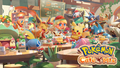
Pokémon Café Mix key art

Pokémon Café ReMix first key art

Pokémon Café ReMix second key art

Pokémon Café ReMix third key art
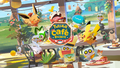
Pokémon Café ReMix fourth key art
Icon on Nintendo Switch

Icon on mobile devices

Icon from version 1.45.1 to 1.50.0 on iOS and iPadOS

Icon from version 1.60.0 on iOS and iPadOS
Icon from version 1.80.0 on iOS and iPadOS

Icon from version 2.0.0 on iOS and iPadOS

Icon from version 2.0.3 on Android

Icon from version 2.10.0 on iOS and iPadOS

Icon from version 2.10.0 to 2.30.0 on Android

Icon from version 2.20.0 on iOS and iPadOS

Icon from version 2.30.0 on iOS and iPadOS

Icon from version 2.40.0 on iOS and iPadOS

Icon from version 2.40.0 to 2.60.0 on Android
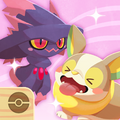
Icon from version 2.50.0 on iOS and iPadOS

Icon from version 2.60.0 on iOS and iPadOS

Icon from version 2.70.0 on iOS and iPadOS

Icon from version 2.70.0 on Android
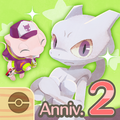
Icon from version 3.0.0 on iOS and iPadOS

Icon from version 3.0.0 on Android

Icon from version 3.10.0 on iOS and iPadOS

Icon from version 3.10.0 on Android
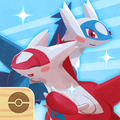
Icon from version 3.20.0 on iOS and iPadOS

Icon from version 3.20.0 on Android

Icon from version 3.30.0 on iOS and iPadOS

Icon from version 3.30.0 on Android

Icon from version 3.40.0 on iOS and iPadOS

Icon from version 3.40.0 on Android
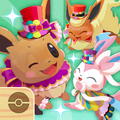
Icon from version 3.50.0 on iOS and iPadOS
Icon from version 3.50.0 on Android

Icon from version 3.60.0 on iOS and iPadOS

Icon from version 3.60.0 on Android
Icon from version 3.70.0 on iOS and iPadOS
Icon from version 3.70.0 on Android
Icon from version 3.80.0 on iOS and iPadOS

Icon from version 3.80.0 on Android

Icon from version 3.90.0 on iOS and iPadOS

Icon from version 3.90.0 on Android

Icon from version 3.100.0 on iOS and iPadOS

Icon from version 3.100.0 on Android

Icon from version 3.110.0 on iOS and iPadOS

Icon from version 3.110.0 on Android
Icon from version 4.0.0 on iOS and iPadOS

Icon from version 4.0.0 on Android

Icon from version 4.10.0 on iOS and iPadOS

Icon from version 4.10.0 on Android
Icon from version 4.20.0 on iOS and iPadOS

Icon from version 4.20.0 on Android

Icon from version 4.30.0 on iOS and iPadOS
Icon from version 4.30.0 on Android
Icon from version 4.40.0 on iOS and iPadOS
Icon from version 4.40.0 on Android

Icon from version 4.50.0 on iOS and iPadOS

Icon from version 4.50.0 on Android

Icon from version 4.60.0 on iOS and iPadOS

Icon from version 4.60.0 on Android
Icon from version 4.70.0 on iOS and iPadOS
Icon from version 4.70.0 on Android
Icon from version 4.80.0 on iOS and iPadOS
Icon from version 4.80.0 to 4.80.1 on Android

Icon from version 5.0.0 on iOS and iPadOS

Icon from version 5.0.0 to 5.0.2 on Android


In other languages
Pokémon Café Mix
| ||||||||||||||||||||||||||


Pokémon Café ReMix
| ||||||||||||||||||||||||||
Notes
External links
References

|
This article is part of Project Sidegames, a Bulbapedia project that aims to write comprehensive articles on the Pokémon Sidegames. |